

Latest Version
Quinn's Computing
Sports
Windows
Free
9ngp5gkccf3s
Report a Problem
More About RunManager
Streamline Your Windows Workflow with RunManager Custom Commands
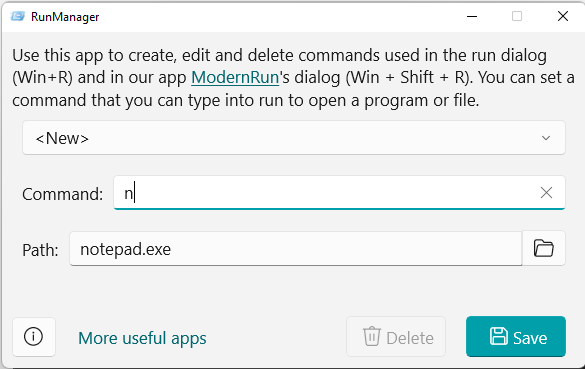
RunManager custom commands offer a powerful way to reclaim your desktop workspace and accelerate your daily computing routine. If you find yourself constantly digging through nested folders or cluttered start menus just to launch your essential tools, this lightweight Windows utility provides an elegant, command-line alternative. Developed by Quinn's Computing, this specialized system tool gives you absolute control over the native Windows Run dialog box (Win+R), transforming it from a basic search box into a highly personalized command center.
Take Control of Your Run Dialog Box
By default, Windows only allows a specific set of system-level commands within the Run box. The RunManager custom commands software completely bypasses this limitation, allowing you to map any phrase or keyword to any file path, application executable, or document on your local drive. Once configured, typing your custom keyword instantly opens the corresponding item.
Key Features of RunManager
- Create Tailored Shortcuts: Assign short, memorable trigger words to open your most-used applications, system scripts, or deeply buried documents.
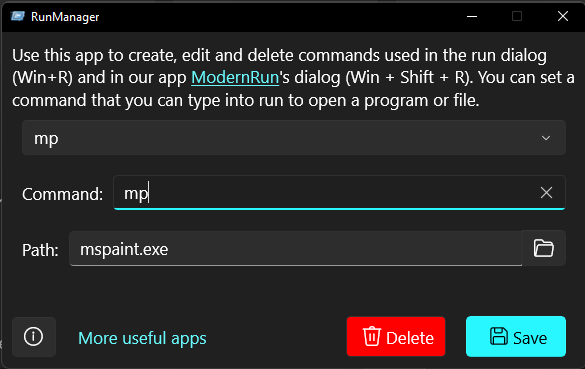
- Edit Existing Rules: Easily modify paths, rename command aliases, or update parameters as your file structure evolves over time.
- Clean Deletion: Remove obsolete commands instantly without leaving orphaned registry entries behind.
- ModernRun Integration: Fully supports both the standard Windows Run dialog (Win+R) and the advanced ModernRun dialog (Win+Shift+R) for maximum flexibility.
Who is This Utility For?
This application is highly recommended for power users, developers, and system administrators who prefer keyboard-driven navigation over tedious mouse clicks. If you are already utilizing the ModernRun application, integrating RunManager custom commands is a logical next step to centralize and manage your custom launching rules under a single, straightforward interface.
Simplify Your Desktop Navigation Today
Eliminating repetitive navigation steps can save hours of cumulative effort over a work week. By establishing custom shortcuts tailored to your specific project needs, you keep your hands on the keyboard and your focus on your actual work. To explore this utility further and optimize your operating system's efficiency, head over to the official Microsoft Store to view the application listing.
Rate the App
User Reviews
Other Apps in This Category



Popular Apps










Editor's Choice